
As an Amazon Associate I earn from qualifying purchases.
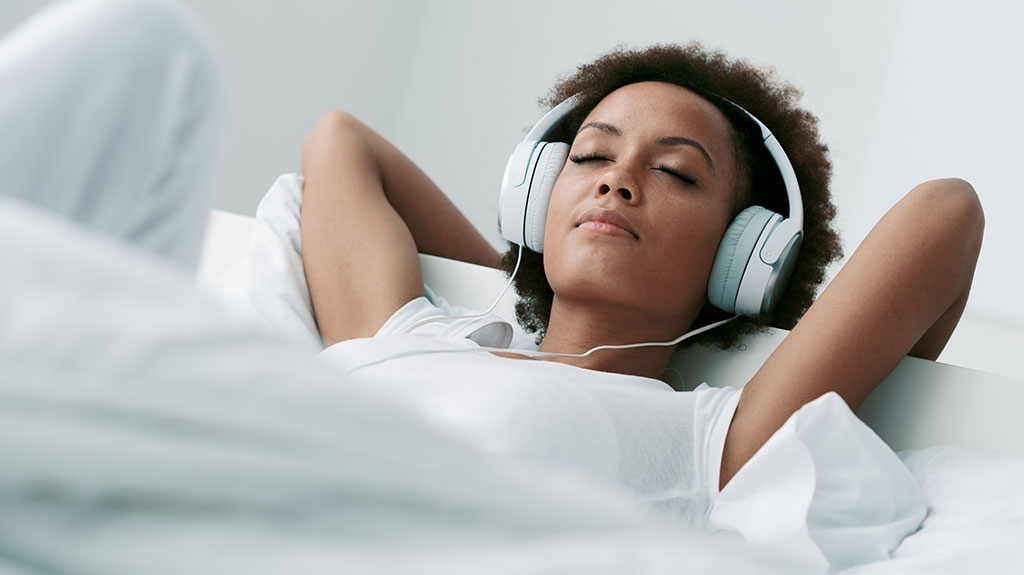
Do you often fall asleep with your headphones on? It feels relaxing to drift off to your favorite music or podcast.
But have you ever wondered if this habit could be harmful to you? Your comfort might come at a cost you didn’t expect. You’ll discover the surprising effects of sleeping with headphones and learn how to protect your ears and sleep quality.
Keep reading—you won’t want to miss these important insights.
Quick Navigation
Risks Of Sleeping With Headphones
Sleeping with headphones may seem harmless, but it carries some risks. These risks can affect your ears and overall sleep quality. Understanding these dangers helps you make safer choices.
Wearing headphones while sleeping can cause discomfort and harm. Your ears stay covered for hours. This can lead to problems you might not expect.
Ear Health Concerns
Headphones block air circulation in your ear canal. This creates a warm, moist environment. Bacteria and fungi can grow easily here. It may cause ear infections or irritation. Sleeping with headphones often increases this risk.
Pressure from headphones can hurt the outer ear. Prolonged pressure may cause soreness or swelling. Using large or tight headphones makes this worse.
Impact On Sleep Quality
Headphones can make it harder to sleep deeply. Some people feel uncomfortable or restless. Wires or bulky headphones may disturb your sleep position. This can lead to frequent waking or poor rest.
Loud sounds or sudden noises through headphones can wake you. This interrupts the natural sleep cycle. It lowers the chance of feeling refreshed in the morning.
Potential Hearing Damage
Listening to loud music or sounds in bed can harm hearing. Extended exposure to high volume stresses the inner ear. It can cause temporary or permanent hearing loss.
Even moderate volume for many hours can add up to damage. Your ears need quiet time to recover. Sleeping with headphones reduces this recovery period.

Types Of Headphones To Avoid
Choosing the right headphones for sleeping is important. Some types can cause discomfort or harm. This section explains which headphones to avoid for safer sleep.
In-ear Vs. Over-ear
In-ear headphones sit inside the ear canal. They can cause ear pain if worn too long. Sleeping with them may lead to ear infections. Over-ear headphones cover the ears and are bulkier. They may press against your head uncomfortably while lying down. Both types have risks for sleep, but in-ear models are often less safe for overnight use.
Wired Vs. Wireless
Wired headphones have cables that can tangle or pull during sleep. This can cause discomfort or even injury. Wireless headphones remove this risk but need batteries. Battery life can limit how long you use them in bed. Also, some wireless models may cause slight heat around ears. Choosing wireless may be safer, but watch for battery and heat issues.
Noise-canceling Effects
Noise-canceling headphones block outside sounds for better focus. Using them during sleep might disrupt natural hearing cues. This can affect your body’s ability to wake from danger. Prolonged use of noise-canceling headphones in bed might increase ear pressure. Avoid noise-canceling models if you want to sleep safely and soundly.
Safe Alternatives For Nighttime Listening
Falling asleep with headphones can be risky for your ears and sleep quality. Safe alternatives exist to enjoy audio at night without harm. These options help you relax and protect your hearing. Choosing the right device and setting limits is key for safe nighttime listening.
Sleep-friendly Audio Devices
Special headphones made for sleep have soft, flat designs. They fit comfortably and reduce pressure on your ears. Some models use fabric bands instead of hard plastic. Others have tiny speakers built into pillows. These devices lower the risk of ear pain or damage.
Volume And Time Limits
Keep the volume low to protect your ears. Loud sounds can cause hearing damage over time. Set a timer to stop the audio after 30 to 60 minutes. This prevents exposure to sound all night. A lower volume and limited time help maintain healthy hearing and sleep.
Speaker Options For Bedroom
Using speakers in the bedroom is a safe alternative. Place them away from your head for gentle sound. Bluetooth or wired speakers can play music softly. This method avoids direct contact with your ears. It creates a calm environment without the risks of headphones.
Tips For Healthy Sleep Habits
Healthy sleep habits help improve rest and overall well-being. Good habits make falling asleep easier. They also reduce stress and improve mood. Follow simple tips to create a better sleep routine.
Creating A Relaxing Environment
Keep your bedroom calm and quiet. Use soft lighting or blackout curtains to block light. Choose a comfortable mattress and pillows. Remove clutter to make the space peaceful. A quiet room helps your mind relax.
Limiting Screen And Audio Exposure
Avoid screens at least one hour before bed. The blue light from devices can stop sleep hormones. Keep headphone volume low to protect your ears. Try soft, calming sounds instead of loud music. Silence or gentle sounds help your brain prepare for sleep.
Establishing A Bedtime Routine
Go to bed and wake up at the same time daily. This helps regulate your body clock. Do relaxing activities before bed, like reading or stretching. Avoid heavy meals or caffeine late in the day. A steady routine makes falling asleep easier and deeper.
When To See A Doctor
Falling asleep with headphones is common, but not always safe. Sometimes, it causes problems that need medical attention. Knowing when to see a doctor helps protect your ears and health. Watch for signs that suggest a visit to the doctor is necessary.
Signs Of Ear Infection
Ear infections can happen from wearing headphones too long. Pain in the ear or swelling are common signs. You might feel warmth or notice discharge. Trouble hearing clearly or a ringing sound can also appear. See a doctor if these symptoms last more than a day.
Hearing Loss Symptoms
Headphones can cause hearing loss if used improperly. Difficulty hearing soft sounds or needing louder volumes are warning signs. You might feel pressure in the ears or hear constant ringing. Sudden hearing changes need quick medical advice. Early care can prevent permanent damage.
Persistent Sleep Issues
Using headphones at night may affect sleep quality. If falling asleep becomes harder or you wake often, check your habits. Feeling tired during the day despite enough sleep is a red flag. Talk to a doctor if sleep problems continue for weeks. They can find the cause and suggest solutions.

Frequently Asked Questions
Is It Safe To Sleep With Headphones On?
Sleeping with headphones can cause discomfort and ear infections. Use comfortable, wireless earbuds and keep volume low to reduce risks.
Can Headphones Damage Your Ears During Sleep?
Prolonged headphone use at high volume can damage hearing. Keep the volume below 60% and limit use to protect your ears.
What Types Of Headphones Are Best For Sleeping?
Wireless, soft, and lightweight earbuds are best for sleep. Avoid bulky or wired headphones to prevent discomfort and tangling.
How Can Headphones Affect Sleep Quality?
Headphones may cause discomfort and disrupt sleep cycles. Choose calming sounds at low volume to promote relaxation and better sleep.
Conclusion
Falling asleep with headphones can cause ear discomfort and hearing issues. Choosing comfortable, wireless options helps reduce risks. Keep volume low to protect your ears at night. Clean your headphones often to avoid infections. Remember, small changes make a big difference for safe listening.
Rest well and take care of your hearing health.